
 QR-ScanX
• June 11, 2026
QR-ScanX
• June 11, 2026
QR ScanX: Fast QR & Barcode Scanner with Scan History and Smart Scanning Features
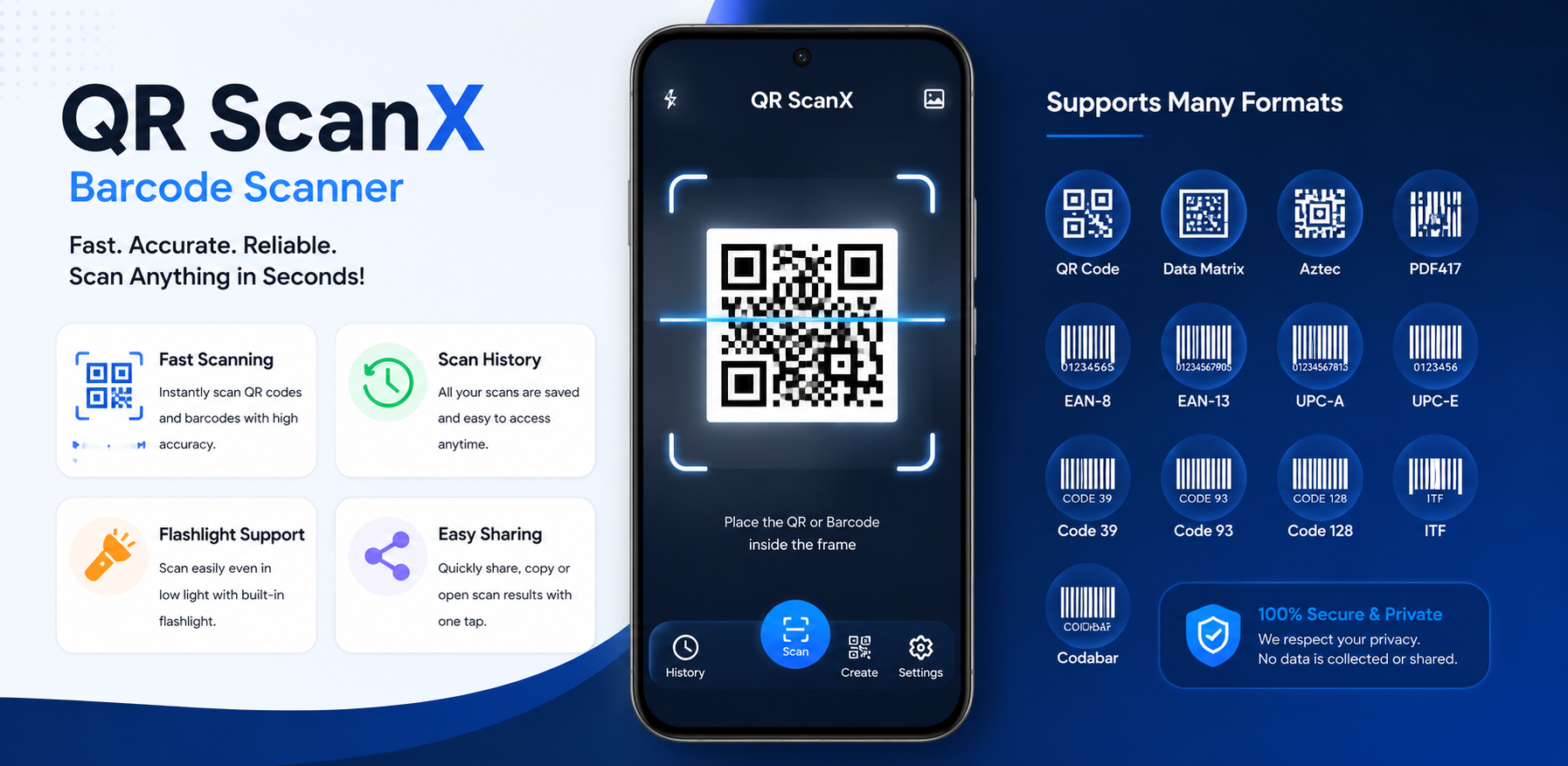
Scanning a QR code should be quick, simple, and easy to understand. QR ScanX is designed as a practical QR and barcode scanner that lets users scan codes with the phone camera, review the scanned information, and keep useful scan results available through scan history.
Fast QR & Barcode Scanning
QR ScanX provides a dedicated camera scanning interface with a clear scanning frame. Users can place a QR code or supported barcode inside the frame and scan it directly.
The scanner is designed for everyday use, whether you are scanning a website link, a product barcode, payment information, Wi-Fi information, or another supported QR or barcode format.
The scanning screen also includes controls for features such as flashlight, selecting an image for scanning, and starting another scan.
Clear and Useful Scan Results
After a successful scan, QR ScanX presents the result in a dedicated Scan Result screen instead of simply opening the detected content immediately.
For URL-based QR codes, the result screen can show the scanned data together with useful link information such as the domain, protocol, and security status. This makes it easier to understand what a scanned link contains before deciding what to do with it.
Users can then open the result, copy the scanned information, share it, or add it to favorites.
Scan History
QR ScanX keeps previously scanned results available through its Scan History screen. This makes it easier to find information that was scanned earlier without scanning the same code again.
The history interface includes search functionality and allows users to manage saved scan records. Individual scan entries can also be marked as favorites or removed when they are no longer needed.
Smart Scanning Controls
QR ScanX includes several options that can be adjusted from the Settings screen.
- Duplicate Scan Protection: Prevents the same scanned content from being repeatedly added within a short period. This is useful when a QR code remains in front of the camera after it has already been detected.
- Scan Laser Animation: Displays a moving scanning line inside the scanner frame and gives the scanning interface clearer visual feedback.
- Beep Confirmation & Haptic Vibration: Enable sound confirmation when a scan succeeds and short vibration feedback when scanning is completed.
- Auto Clipboard Copy & Auto Flash: Automatically copy parsed scan results directly to the device clipboard, or enable the camera flash automatically when scanning starts.
Simple Customization
QR ScanX provides an App Theme Mode that allows users to choose the appearance of the application. Scanning preferences are grouped into the Settings screen so users can control features such as sound, vibration, clipboard copying, automatic flash, duplicate scan protection, and scan animation.
Privacy-Focused Scanning Experience
QR ScanX is designed around a straightforward scanning experience where the user can see the detected information before choosing an action.
For web links, displaying the domain, protocol, and security information in the result screen provides additional context before opening a link.
A Practical QR & Barcode Scanner
From quickly scanning a code to reviewing previous results, QR ScanX combines the essential functions of a QR and barcode scanner with useful tools for managing scan results.
Its scan history, result details, favorites, duplicate protection, scan animation, flashlight controls, and configurable scanning options make it suitable for everyday QR and barcode scanning.
Conclusion
QR ScanX focuses on making QR and barcode scanning simple while giving users more control over what happens after a scan. The combination of a focused scanning interface, useful result information, scan history, and configurable scanning features provides a practical experience for everyday scanning needs.