 BR Converter
• April 20, 2026
BR Converter
• April 20, 2026
BR Converter: Fast Offline Video to Audio Converter with Audio Editing Tools
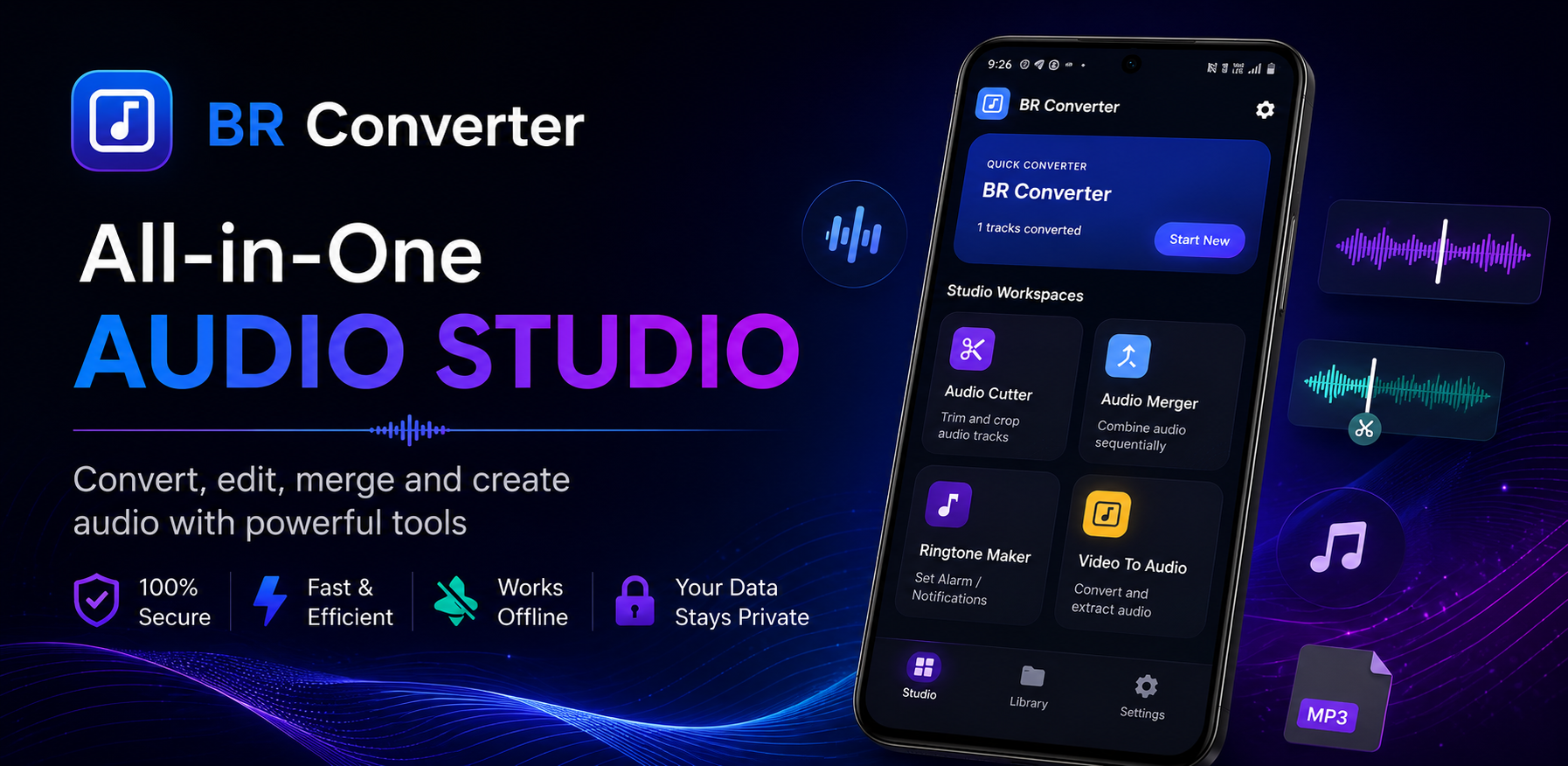
BR Converter is built for Android users who need a fast, reliable, and completely offline tool for extracting audio from video files and performing essential audio edits directly on their mobile device.
Convert Video to Audio Easily
Extracting soundtrack or speech audio from video recordings is quick and straightforward with BR Converter. Simply select any compatible video file stored on your phone, choose your desired output parameters, and initiate the extraction process to generate clean audio files in seconds.
Fast Offline Processing
All video-to-audio conversions and audio editing operations are processed 100% locally on your Android device hardware. Because processing occurs offline without network requests, conversions complete almost instantly without bandwidth costs or internet connection dependence.
High-Quality Audio Extraction
BR Converter preserves acoustic fidelity during extraction. Whether you are extracting background music from a recorded event video or capturing voice notes from a lecture recording, the app outputs clear audio streams suitable for listening or further editing.
Trim Audio Clips
The integrated audio trimming tool allows you to isolate exact segments from longer audio files. Precisely cut out unwanted pauses, remove intro/outro segments, or trim audio down to specific timestamps for quick sharing.
Merge Multiple Audio Files
Combine separate audio recordings into a single continuous track with the built-in audio merger. Select multiple audio files from your storage, arrange them in your preferred playback order, and join them into one unified file effortlessly.
Create a Ringtone
Customizing your phone notifications and call alerts is simple. Use BR Converter to convert a video soundtrack, trim your favorite audio section, and set it directly as your default phone ringtone or notification sound right from within the application.
Work With Your Media Privately
Your video and audio files remain strictly on your local device storage during conversion and editing. Core functionality operates entirely on-device without uploading your personal media to external cloud servers. Learn more by reviewing the BR Converter Privacy Policy.
Simple Audio Tools in One App
By bringing video extraction, trimming, merging, and ringtone creation together into one unified workspace, BR Converter eliminates the need to install separate single-purpose audio utilities.
Who Can Use BR Converter?
- Content Creators: Extract voice tracks or background audio from video footage for editing.
- Students & Professionals: Convert recorded lecture or meeting videos into lightweight audio notes for listening on the go.
- Everyday Android Users: Turn memorable video clips into custom phone ringtones, trim music tracks, or merge multiple audio snippets.
Key Features
- Convert Video to Audio
- Fast Offline Processing
- High Quality Audio Extraction
- Audio Trimmer
- Merge Multiple Audio Files
- Set Audio as Ringtone
- Simple & Easy-to-Use Interface
- Lightweight Performance
- No Cloud Upload Required
Conclusion
BR Converter offers a powerful, privacy-friendly, and offline-first solution for video-to-audio conversion and audio editing on Android. Discover BR Converter and explore all 9 official mobile applications in the GB Tech Studio Apps Catalog.