 BR Screen Recorder
• May 27, 2026
BR Screen Recorder
• May 27, 2026
BR Screen Recorder: High-Performance Screen Recorder for Android
1. What BR Screen Recorder Is
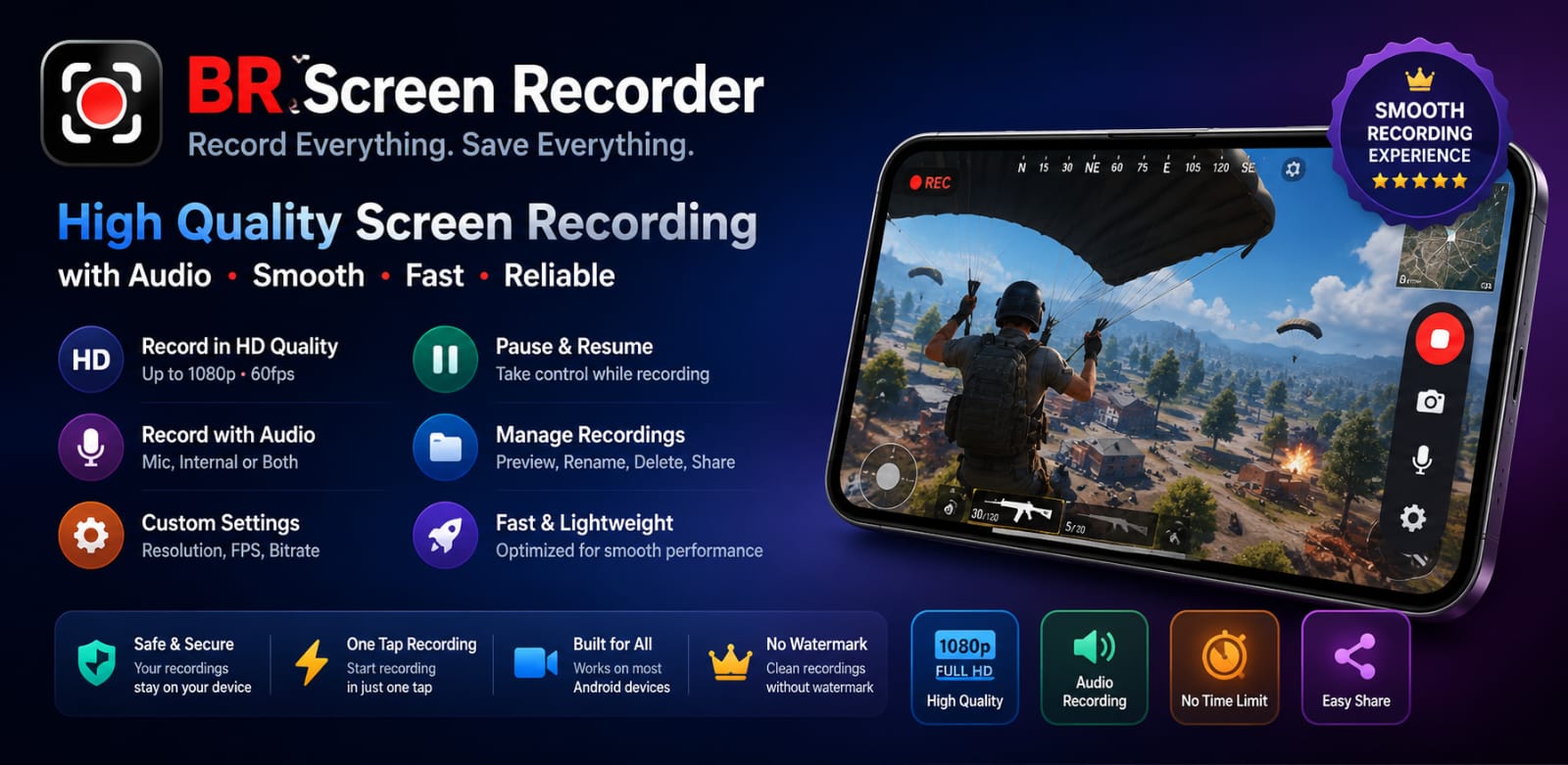
BR Screen Recorder is a dedicated, high-performance Android application built to capture screen video with high clarity, flexible audio controls, and an intuitive user interface.
2. Why It Is Useful for Android Users
Whether you are creating mobile app tutorials, recording gameplay sessions, saving video calls, or archiving important on-screen content, BR Screen Recorder delivers a lightweight, reliable recording solution directly on your phone.
3. High-Quality Screen Recording
The app supports crisp high-definition recording up to 1080p resolution. Users can configure video bitrate and resolution settings to balance file size and visual fidelity according to their device capabilities.
4. 60 FPS Smooth Recording
For fast-moving gameplay and fluid UI animations, BR Screen Recorder supports smooth frame rates up to 60 FPS, ensuring motion remains fluid without unnatural stuttering.
5. Audio Recording Options
BR Screen Recorder provides versatile audio source selection options:
- Internal System Audio: Capture clean game and system sound directly on supported Android 10+ devices.
- Microphone Audio: Record external commentary or voiceovers through your phone microphone.
- Internal Audio + Microphone: Record system sound and microphone audio simultaneously for comprehensive video creation.
6. Recording Controls and Countdown
Before recording begins, users can set a customizable countdown delay timer to prepare their screen. Controls are accessible and easy to use across recording sessions.
7. Floating Control Widget
A lightweight floating overlay widget provides quick-action controls directly on your screen. Start, pause, or stop screen recordings instantly without opening the main app interface during gameplay or recording sessions.
8. Recording History and Management
All recorded videos are automatically organized inside the app's Recordings tab. Users can review recent recordings with clear video thumbnails, recording duration, and file size metadata.
9. Search and Organize Recordings
Finding specific video clips is seamless with an integrated recording search bar. Browse through past recordings or delete unwanted files directly to keep your local storage clean.
10. Storage Management
Recorded video files are saved directly to your local device storage gallery, allowing easy access for offline viewing, editing, or sharing across other platforms.
11. Display and Theme Customization
BR Screen Recorder supports complete UI theme personalization. Choose between Light Mode, Dark Mode, or Follow System themes to match your device preference.
12. Privacy-Focused Local Recording Experience
Recorded videos stay locally on your Android device. Your recordings are not uploaded to external cloud servers, maintaining full control over your media files. For detailed disclosure, visit the official BR Screen Recorder Privacy Policy.
13. Practical Use Cases
- Mobile Gaming: Record high-framerate 60 FPS gameplay with crisp internal game sound.
- App Demos & Tutorials: Walk viewers through software features with clear microphone voiceovers.
- Content Archiving: Save online presentations, lectures, and live video streams locally.
14. Lightweight Android Architecture
Engineered with performance efficiency in mind, BR Screen Recorder minimizes CPU overhead and storage footprint, allowing your phone to run games and heavy applications smoothly while recording.
15. Official Production Release on Google Play
BR Screen Recorder is officially released and publicly available for download on Google Play! Explore all 9 official mobile applications in our GB Tech Studio Apps Catalog.